
Let your child use social media safely, without what hooks them.
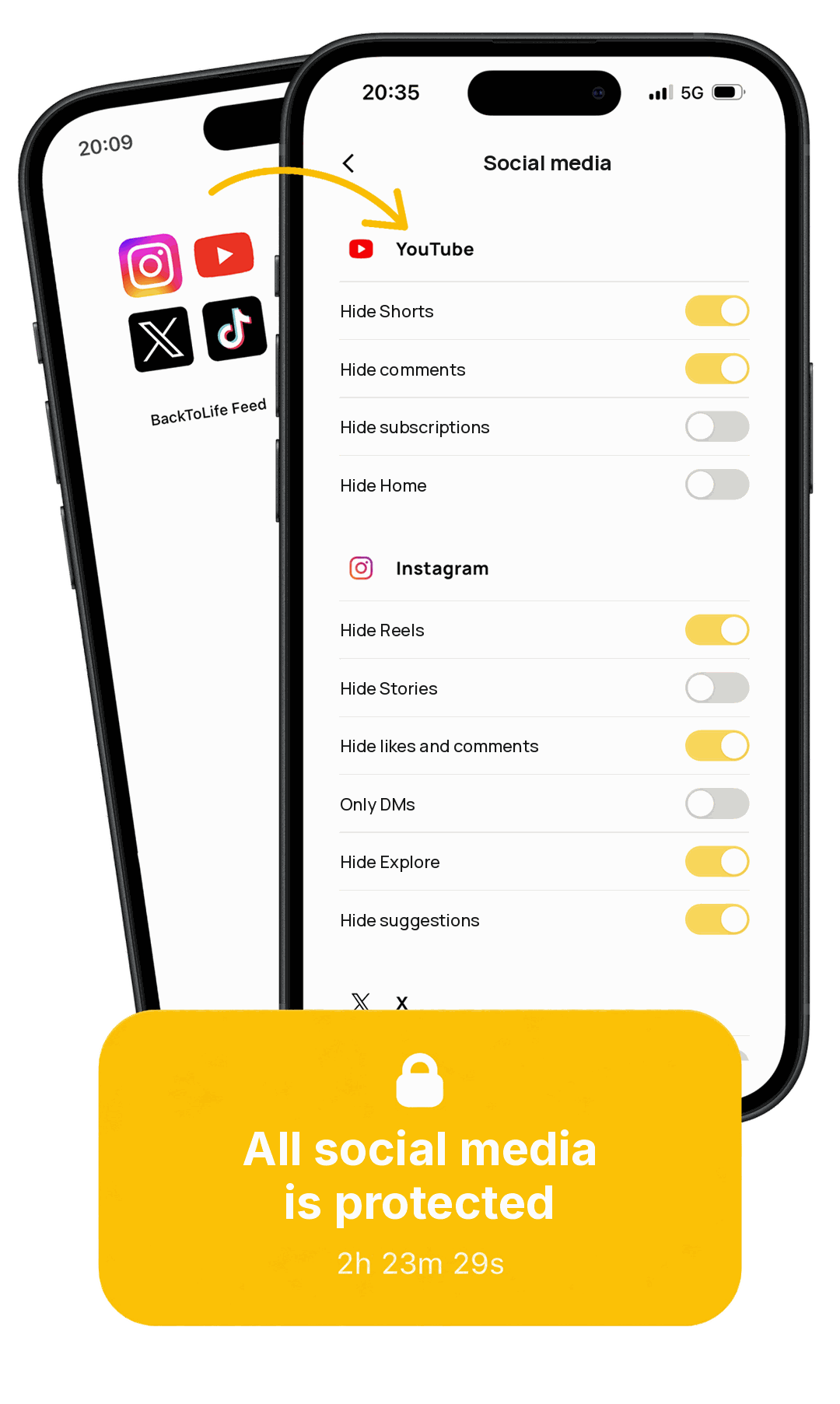
The only app that lets them stay connected with their friends. You choose which social networks they get; we remove the addictive parts and help keep their account well protected.
- Removes the addictive parts: infinite scroll, autoplay and recommendations
- Keeps the good parts: their friends and their chats
- You see all their screen time
- We guide you to set up Instagram's official protections properly
€9.99/month or €59.99/year · Cancel anytime, no commitment · For iPhone and Android.
Have questions? Talk to us for 20 minutes
Getting started
Getting started takes 3 minutes
Download BackToLife on your child's phone and BackToLife Parent on yours.
Link them with a QR code.
That's it: it comes with the recommended filters already on. If you want, you can adjust them as you like.
How it works
What does it remove from your child's social media, and what does it keep?
BackToLife opens the social networks you want your child to have (it loads the web version of each) and removes exactly what is designed to hook them, leaving what really matters to them untouched. It doesn't turn the apps off or block them: it redesigns the experience and removes exactly what hooks them. And we are adding more networks.


✕ Removes the addictive parts
- ✕ Reels, Shorts and "For You"
- ✕ Explore and suggestions
- ✕ Stories
- ✕ The infinite feed and Home
- ✕ Notifications that demand their attention
- ✕ Likes, comments and autoplay
And these are just a few examples. You decide what to hide on each network: start with our recommendation and adjust it as you like.
✓ Keeps the good parts
- ✓ Their chats and messages with friends
- ✓ The accounts they choose to follow
- ✓ What they search for on purpose
- ✓ Their place in their friend group, without being isolated
✓ And their account, protected
- ✓ With you, we turn on Instagram's official protections for minors: their account set to private, so strangers can't message your child and they don't see content that isn't right for their age.
- ✓ We show you how to check them whenever you want.
Trust
50,000 young people already use BackToLife. You're not alone in this.
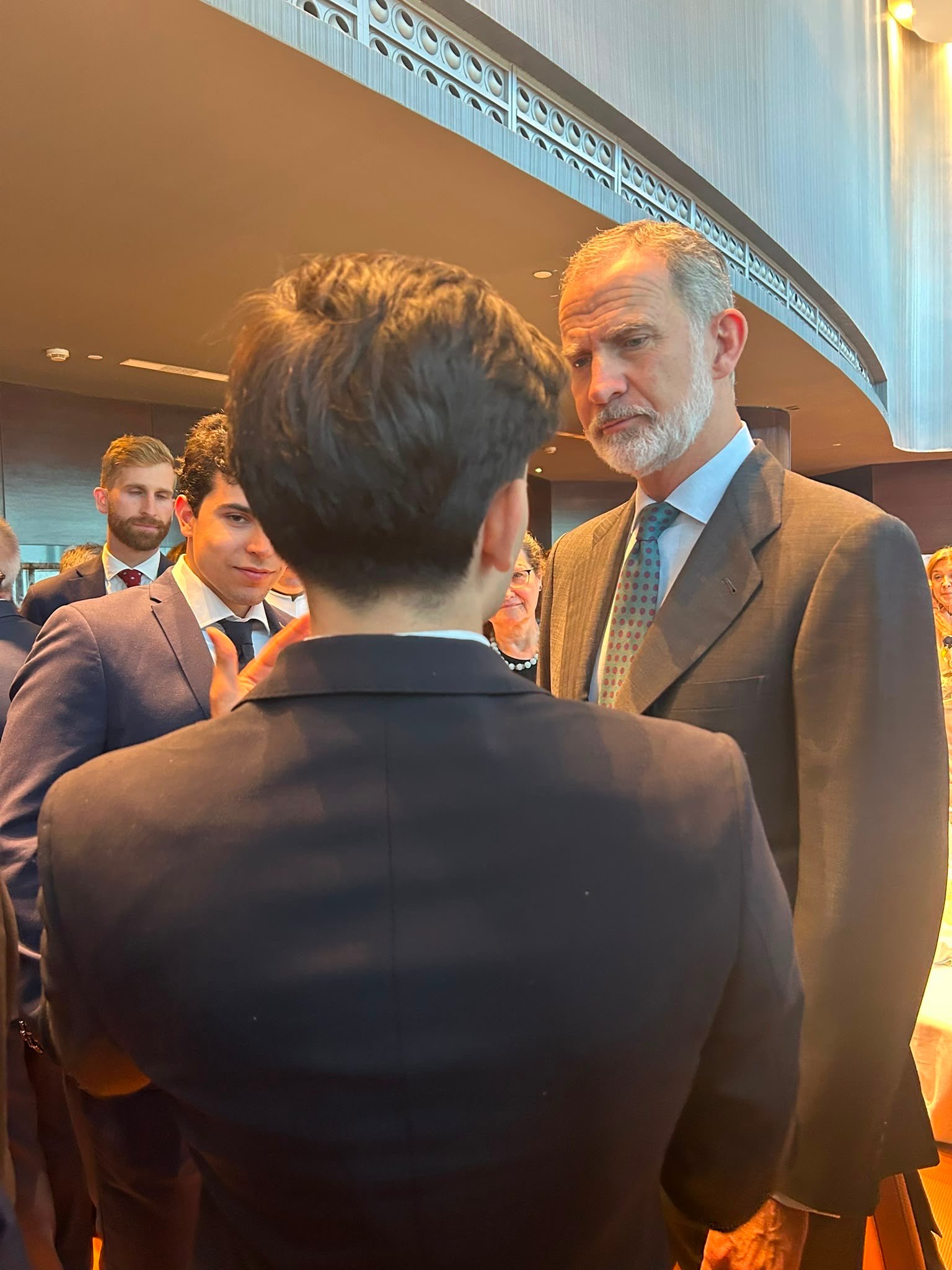
King Felipe VI wanted to learn about it
King Felipe VI invited our founder, Leo Duaso, to lunch to learn about BackToLife and its work against algorithmic manipulation.
of parents notice less conflict at home
say their child uses their phone less
of teenagers accept it without a problem
According to our survey of families who use it.
"I regret not doing this sooner, back when I gave my child a phone."
"I'm very happy because my son is happy, but he isn't scrolling or exposed to the dangers."
"It's exactly what I needed to let my son have social media the right way."
"The help I needed to quit my digital addiction. I've tried many apps and none worked for me until BackToLife."
"The initiative this app offers is what social networks themselves should include. Hats off to its creators."
"Very good app, it helps me a lot with my social media addiction problem. I highly recommend it."
Step by step
How things change at home
The day you give it to them
Your child accepts it: you don't take away their friends or their chats, only what hooks them. No more negotiating.
The first week
Without Reels or infinite scroll, the phone stops being a bottomless pit.
The first month
You see how much time they spend and on which networks, without reading their messages. You get visibility; they don't feel watched.
Over time
A different relationship with the phone at home: your child stays connected with the people who matter to them, and you have peace of mind, without having to ban anything or spy on them.
Every parent's dilemma
Should I let my child have social media or ban it?
It's the wrong question: they're going to use it anyway. Banning it ends in war and secret accounts; handing it over as is leaves them alone against a scroll designed to hook them. The third way: give it to them without the addictive part and with their account protections turned on. That's BackToLife.
The parental control that doesn't monitor or block
How is it different from a parental control app like Qustodio or Apple's?
A parental control either monitors (reads messages, sends reports) or blocks (turns the app off). Both cause conflict, and your child learns to get around them. BackToLife is the parental control that doesn't block social media: it removes the addictive part. Other apps put a lock on it: the day it's gone, the problem comes back. BackToLife goes to the root, so the problem is no longer there. That's why your child accepts it and there's no war at home. And your child doesn't push back, because it was made by young people who went through the same thing: first they created BackToLife, the app 50,000 young people already use to be on social media without getting hooked, and now BackToLife for parents. Your child feels it's theirs, not adult surveillance.
We don't spy on your child or take their social media away. We change social media.
| BackToLife | Parental controls (Qustodio, Family Link, Apple) |
Blocking apps (Opal, Brick…) |
|
|---|---|---|---|
| What it does | Redesigns social media: removes the addictive parts | Monitors and/or blocks | Blocks the whole app |
| Does it read your child's chats? | No | Often, yes | No |
| Can you see how much your child uses it? | Yes, time and which networks (no content) | Yes, sometimes including their messages | No |
| Does it help you turn on and check their account protections (privacy, strangers, age)? | Yes | No | No |
| Does your child keep their friends and social media? | Yes | Only if it doesn't block | No, it turns them off |
| Does it cause conflict? | No | Yes | Yes |
| Does your child accept it? | Yes (99% in our survey) | Rarely | Rarely |
| iPhone and Android | Yes | Limited on iPhone | Varies |
Not sure if it's right for your child? Talk to us for 20 minutes
No spying
Does BackToLife spy on or read my child's messages?
No. As a parent, you see just enough to support them (how much time they spend and on which networks), but never the content, their messages or their DMs. BackToLife doesn't read their chats, doesn't track their location and doesn't store their content; there are no ads, and we don't sell their data to anyone. It isn't a surveillance tool: it's the same social media they already use, without what hooks them. That's why your child doesn't see it as punishment or as you spying on them, and there's no war at home.
Why you should pay attention
Is teenagers' social media use really that worrying?
Yes, and the data confirms it. It's not about panicking, but about giving your child social media in a way that doesn't work against them.
of the times teens go on social media, they regret the time they spent there.
Meta is going to court over its addictive features (infinite scroll, Reels) that harm minors. We remove those elements.
is how long the average teenager spends on social media.
of teenagers are online almost constantly. That's twice as many as ten years ago.
BackToLife removes exactly those mechanisms: no Reels, no infinite scroll, no recommendations.
Sources: Carnegie Mellon (2022); US state attorneys general (2023); Gallup (2023); Pew Research (2024).
About us
Who made BackToLife?
It wasn't made by a big tech company. It was made by a group of young people from the Synkro association who were addicted to social media and decided to do something about it.
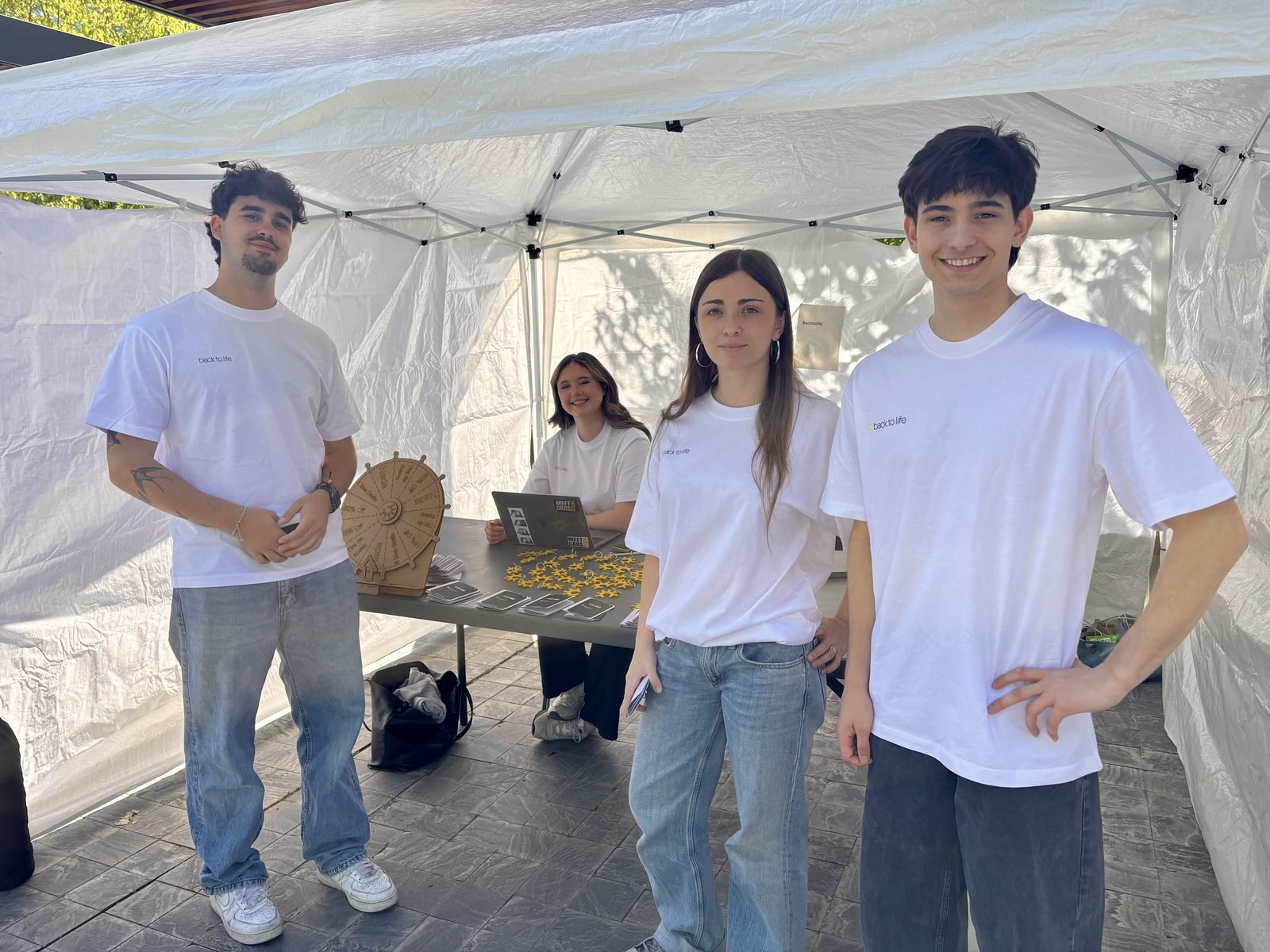
"We come from the generation that suffers from it, and we want to take back our attention, our time and our lives."
BackToLife was born at Synkro, a nonprofit youth association: an app made by young people, for young people, not by a big company. And that's exactly what sets it apart from the controls of Apple, Google or Qustodio: it wasn't made by those who created the problem, but by those who suffer from it. That's why King Felipe VI wanted to learn about it, and why teenagers accept it.
The difference
Why BackToLife and not another app?
The only app that redesigns your child's social media. All the others force you to choose between banning and monitoring. Instead of turning off or spying on their social media, BackToLife removes only the addictive parts and keeps the good parts: their friends, their chats and the accounts they choose to follow.
Frequently asked questions
What parents ask us
Can my child turn off the filters?
Does it work on iPhone and Android?
Which social networks does it work with?
How much does it cost?
Can I see what my child does?
What about strangers and age-inappropriate content?
Do I have to set up anything complicated?
Aren't Apple's parental controls or Google Family Link enough?
Do you have any questions?
Book a 20-minute call, tell us about your situation and we'll answer your questions.
Book a callor write to us at info@backtolife.site
Let your child have their social media today, without what hooks them.
€9.99/month or €59.99/year · For iPhone and Android.